Best Unblocked Games for School & Chromebook in 2026
Looking for free unblocked games you can play in a browser? This guide covers popular browser games for school Chromebooks and other computers, including puzzle, racing, arcade, sports, multiplayer, educational, and classic games that do not require traditional software installation.
The important thing to know is that “unblocked” does not mean a game is guaranteed to work on every school network. Schools and organizations use different filtering systems, and access can change over time. The games and websites below are selected because they are established browser-based destinations or games that can be played through a standard web browser.
Which Unblocked Games Are Worth Trying?
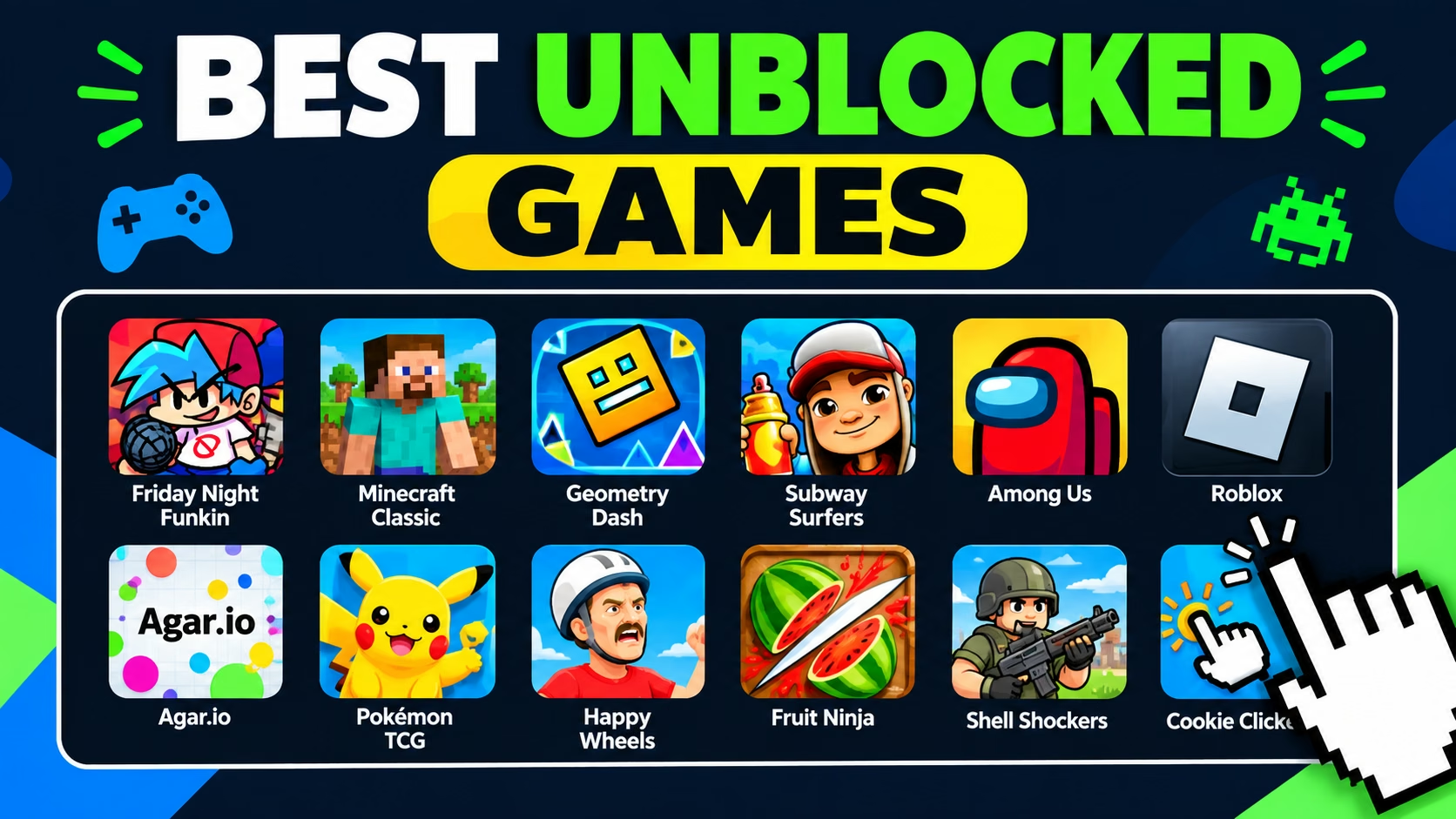
For quick browser gaming, popular choices include Run 3, 2048, Moto X3M, Fireboy and Watergirl, Stickman Hook, Subway Surfers, Chess, Shell Shockers, Tiny Fishing, and other lightweight browser games.
Availability depends on the network you are using. A game can be available directly on the web but still be blocked by a school or organization. For that reason, this guide focuses on legitimate browser destinations rather than promising that a particular game will bypass a filter.
You might also like
| Game | Type | Browser | Download | Good for |
|---|---|---|---|---|
| Run 3 | Platformer | Yes | No traditional install | Quick runs |
| 2048 | Puzzle | Yes | No traditional install | Logic and short sessions |
| Moto X3M | Racing | Yes | No traditional install | Racing and stunts |
| Fireboy and Watergirl | Platformer / Puzzle | Yes | No traditional install | Two-player teamwork |
| Stickman Hook | Skill | Yes | No traditional install | Fast reflexes |
| Subway Surfers | Endless runner | Yes | No traditional install | Arcade sessions |
| Chess | Strategy | Yes | No traditional install | Strategy and practice |
| Shell Shockers | Multiplayer FPS | Yes | No traditional install | Online multiplayer |
Best Unblocked Games in 2026
These games represent different types of browser gaming rather than a strict ranking. A game that works well for one person may not be suitable for another, so the list is organized around game type, device compatibility, and how easy the game is to start in a browser.
1. Run 3
Run 3 is a fast platform game set around a series of space tunnels. You guide the runner through gaps and changing paths while trying to stay inside the tunnel. The browser version is available through Coolmath Games.
Play Run 32. 2048
2048 is a simple number puzzle in which you combine matching tiles to create larger values. It needs very little from a computer and is easy to understand, making it a useful choice when you want a short puzzle rather than a large game.
Search for the original or a reputable browser implementation rather than downloading an unknown version.
3. Moto X3M
Moto X3M is a motorcycle racing game built around short obstacle courses. You accelerate, brake, and perform flips while trying to reach the finish line quickly.
You might also like
4. Fireboy and Watergirl
Fireboy and Watergirl combines platforming and puzzle solving. Players control two characters with different abilities and must work together to reach the exit while avoiding hazards that are dangerous to the wrong character.
Play Fireboy and Watergirl5. Stickman Hook
Stickman Hook is a skill game based on swinging from point to point with a grappling hook. Timing is the main challenge, so individual levels can be played in short sessions.
Play Stickman Hook6. Subway Surfers
Subway Surfers is an endless running game where you move around obstacles, collect items, and try to keep your run going. The web version is available through Poki.
Play Subway Surfers7. Chess
Chess is a useful option when you want a game that combines entertainment with strategy. Chess.com lets visitors play online, play against bots, solve puzzles, and challenge other players.
Play Chess Online8. Shell Shockers
Shell Shockers is a multiplayer browser shooter built around cartoon-style egg characters. It is more demanding than simple puzzle games and is primarily intended for desktop browser play.
You might also like

9. Tiny Fishing
Tiny Fishing is a casual fishing game available through Coolmath Games. It is designed around simple controls and progression rather than fast competitive play.
Find Tiny Fishing on Coolmath Games10. Geometry Dash
Geometry Dash combines rhythm, timing, and platforming. Browser versions and related titles can be found through established browser gaming platforms, although the exact version available can vary by platform.
Explore Geometry GamesBest Unblocked Game Websites
Instead of searching for random websites that claim to bypass school filters, it is better to start with established browser-game platforms. Whether a platform is accessible on a particular network is still controlled by that network.
Coolmath Games
Coolmath Games offers browser games across puzzle, strategy, sports, multiplayer, physics, coding, and other categories. Its current catalog includes games such as Run 3, Chess, Tiny Fishing, Moto X3M, and Fireboy and Watergirl.
Visit Coolmath GamesCrazyGames
CrazyGames is a large browser gaming platform covering many genres, including multiplayer, driving, shooting, puzzle, and casual games. Its site states that games can be played on desktop computers, laptops, and Chromebooks.
You might also like

Poki
Poki provides free browser games that can be played on desktop, mobile, and tablet devices. Its catalog includes popular titles such as Subway Surfers and Stickman Hook.
Visit PokiHoodaMath
HoodaMath focuses heavily on educational and math-based browser games. Its current site offers games across subjects and grade levels from kindergarten through high school.
Visit HoodaMathABCya
ABCya provides educational games for children, with categories covering mathematics, language arts, science, typing, puzzles, and other learning subjects.
Visit ABCyaChess.com
Chess.com provides online chess games, puzzles, lessons, and games against computer opponents. It also supports online games against other players.
Visit Chess.comBest Unblocked Games for Chromebook
Browser games are often a practical choice on Chromebooks because they can run directly inside Chrome without requiring a traditional desktop installer. However, Chromebook compatibility and network accessibility are two different things.
You might also like

A game may technically support ChromeOS but still be blocked by a school administrator. Likewise, a website may open normally on a personal Chromebook but not on a managed school device.
For a Chromebook, look for games that use standard browser technologies and have simple controls. Puzzle games, platformers, casual games, strategy games, and lightweight 2D titles are often easier to run than demanding 3D games.
| Game type | Why it suits a Chromebook | Examples |
|---|---|---|
| Puzzle | Usually simple controls and modest hardware requirements. | 2048, Sudoku, logic games |
| Platformer | Often uses simple keyboard controls. | Run 3, Fireboy and Watergirl |
| Casual | Easy to start and suitable for short sessions. | Tiny Fishing, clicker games |
| Strategy | Can provide longer play without demanding graphics. | Chess, board games |
| Multiplayer | Works through a browser when the network permits online play. | Shell Shockers, multiplayer browser games |
Best Educational Unblocked Games
If you want browser games that are closer to learning activities, educational game platforms are a better place to start than random game directories.
HoodaMath
HoodaMath provides math games for different grades and subjects, including arithmetic, fractions, algebra, geometry, integers, and other areas of mathematics.
You might also like

ABCya
ABCya organizes games by grade, subject, and genre. Its categories include math, language arts, science, typing, puzzles, and other educational activities.
Chess
Chess is another useful browser game when the goal is strategy and problem solving. Chess.com offers games against people and computer opponents as well as puzzles and lessons.
Best Multiplayer Browser Games
Multiplayer browser games let you compete or cooperate with other players without installing a traditional desktop game. They can also use more network bandwidth than simple single-player games, so performance depends on the device and connection.
You might also like

Shell Shockers
Shell Shockers is a multiplayer browser shooter available through CrazyGames. It uses cartoon-style egg characters and supports online matches.
Chess
Chess.com supports online games against other players, games against bots, and games with friends. It is a lower-bandwidth alternative to graphics-heavy multiplayer games.
Fireboy and Watergirl
Fireboy and Watergirl is designed around cooperation and can be played by two people using the same computer in supported versions.
You might also like

Free Games With No Download
Many browser games do not require a traditional game installation. Instead, the game loads inside a web browser. This is different from saying that nothing is downloaded at all: the browser still has to load the page and game files before you can play.
Good examples of browser-based gaming destinations include Coolmath Games, CrazyGames, and Poki.
Browser gaming can be convenient on a Chromebook because you generally do not need to install a Windows executable or another traditional desktop application.
What Are Unblocked Games?
Unblocked games usually refers to games that can be accessed through a web browser on a network where other gaming websites may be restricted. The term does not describe a special type of game or guarantee that a website will be accessible everywhere.
You might also like

Most modern browser games use technologies such as HTML5 and JavaScript. This allows the game to run inside a browser rather than requiring a traditional desktop installation.
Whether a particular game is actually accessible depends on the network. A school, business, library, or other organization can restrict gaming websites even when the game itself is technically compatible with the browser.
Are Unblocked Games Safe?
The answer depends on the website and the game. The phrase “unblocked games” is not a safety certification. A site can call itself an unblocked-games website without being trustworthy.
When choosing a browser game, prefer established platforms and be cautious about websites that ask you to install unknown software, browser extensions, executable files, or suspicious downloads.
You should also avoid entering unnecessary personal information into a game website. If a page unexpectedly asks for sensitive information before allowing you to play a simple browser game, leaving the page is usually the safer choice.
You might also like

Can You Play Unblocked Games on a School Chromebook?
Technically, many browser games can run on a Chromebook because they use web technologies supported by modern browsers. But a school Chromebook may be managed by an administrator, and the school network can restrict access to gaming websites.
Therefore, Chromebook compatibility does not automatically mean that a game will be available at school.
If a game does not open, check whether the website is restricted by your school’s policy. Do not attempt to bypass an administrator’s restrictions. If gaming is permitted during a break or free period, use a website that your school allows.
Why an Unblocked Game May Still Be Blocked
The word “unblocked” is not a guarantee. Network administrators can use filtering systems that change which websites or categories are accessible.
A game may also stop working because its website changed domains, removed the game, changed its technology, or became unavailable. Browser compatibility can also change as websites are updated.
You might also like

This is why a game that works for someone else may not work on your school Chromebook or network.
If access changes, the appropriate solution is to use a permitted website or ask the network administrator or teacher about the restriction rather than trying to circumvent it.
More Gaming Guides From Ezechax
Looking for more practical gaming guides? Ezechax also covers individual games and gaming topics.
Frequently Asked Questions
What are the best unblocked games in 2026?
Popular browser choices in 2026 include Run 3, 2048, Moto X3M, Fireboy and Watergirl, Stickman Hook, Subway Surfers, Chess, and Shell Shockers. Which games you can access depends on your network.
What games work on a Chromebook?
Browser games such as puzzles, platformers, strategy games, casual games, and some multiplayer titles can work on Chromebooks. Actual availability depends on the Chromebook, browser, game, and network restrictions.
You might also like

Do unblocked games require downloads?
Many browser games do not require a traditional installation. They load inside the browser instead. However, the browser still downloads the files needed to display and run the game.
Why is an unblocked game blocked on my network?
“Unblocked” is not a universal status. Your school, workplace, library, or other network may use its own filtering rules. A website that is available on one network can be restricted on another.
Are browser games safe to play?
Browser games can be safe, but the safety of a game depends on the website hosting it. Prefer established platforms, avoid suspicious downloads and extensions, and do not provide unnecessary personal information.
Can I play unblocked games on a school Chromebook?
Some browser games are technically compatible with Chromebooks, but a school-managed Chromebook or network may restrict gaming websites. Follow your school’s device and network rules.
What should I do if an unblocked game does not work?
The website may be unavailable, incompatible with your browser, or restricted by your network. Check the game’s official or established hosting platform and use another permitted website if access is restricted.
You might also like

Conclusion
Unblocked games are usually browser-based games that can be played without a traditional desktop installation. In 2026, there are many established platforms offering puzzles, racing games, platformers, sports games, strategy games, educational games, and multiplayer experiences.
For Chromebook users, browser games can be convenient because they run inside Chrome. However, no website can honestly guarantee that a particular game will be accessible on every school or workplace network.
Start with established platforms such as Coolmath Games, CrazyGames, Poki, HoodaMath, ABCya, and Chess.com, and always follow the rules of the network and device you are using.
This guide was updated in September 2026. Game availability, website addresses, and network accessibility can change, so individual games and destinations may change over time.
You might also like