BitLife Love Island: How to Play, Download and Complete the Love Isle Challenge

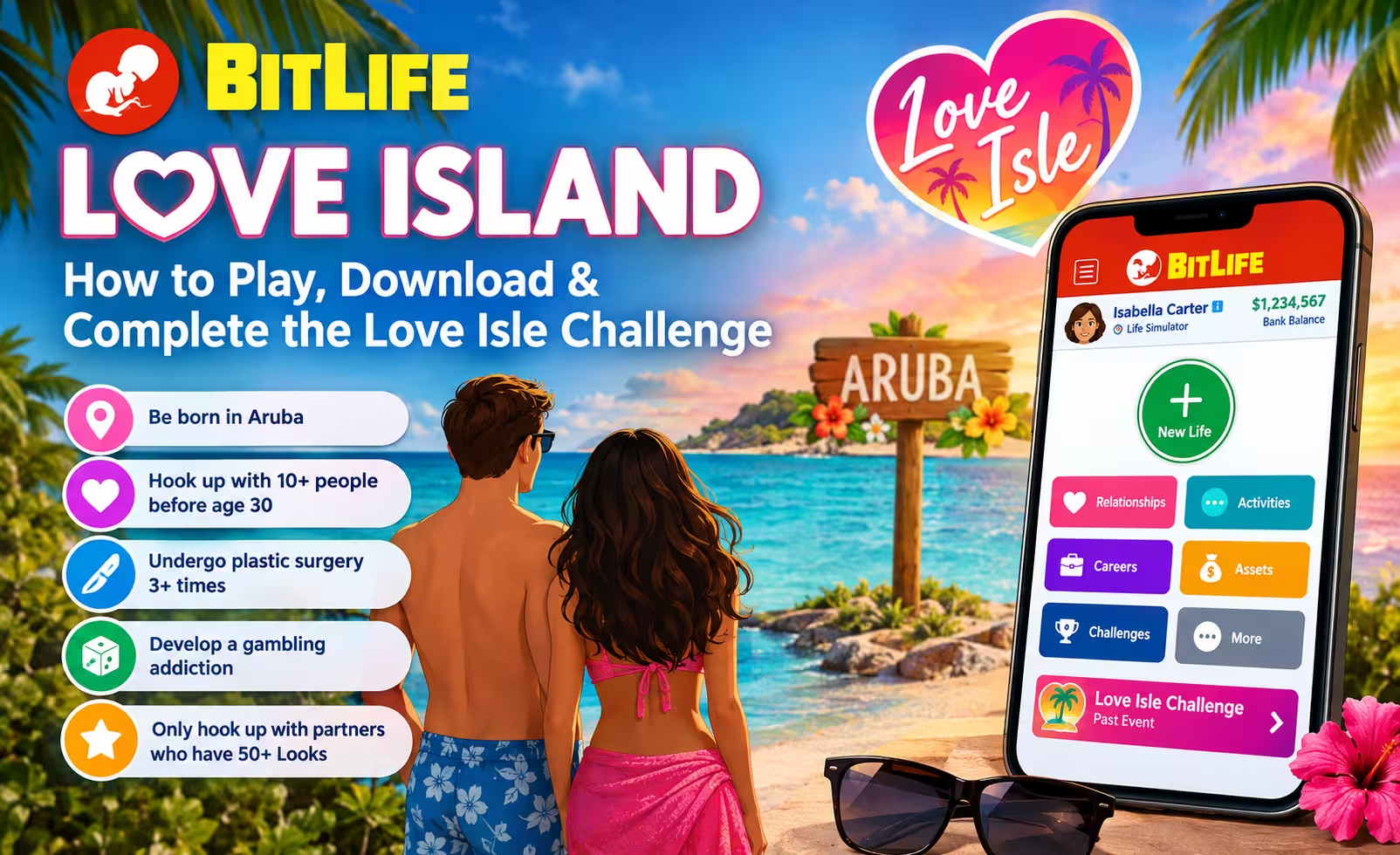
If you are searching for BitLife Love Island, you may want to play the game, download it on your phone, or learn how to complete the Love Isle Challenge. The good news is that you can play BitLife on Android and iPhone. However, the Love Isle Challenge is a past BitLife event, not a separate game you can download by itself.
In this guide, you will learn what BitLife Love Island means, how to download the official game, how to complete all five Love Isle Challenge objectives, and what to know about free play, APK downloads, and updates.
What Is BitLife Love Island?
BitLife Love Island usually refers to the Love Isle Challenge in BitLife: Life Simulator, a life simulation game developed by Candywriter.
In BitLife, you control a character’s life from birth to death. You make choices about relationships, education, careers, money, health, and other life events. Your decisions affect how your character’s story develops.
The Love Isle Challenge was a limited-time event that ran from August 3 to August 7, 2024. It asked players to create a character born in Aruba, date multiple people, undergo plastic surgery, and develop a gambling addiction.
Although many players search for it as BitLife Love Island, the official challenge name was Love Isle.
Important: The original event has ended. Its objectives are documented in existing guides, but that does not mean the challenge is currently available in the game. Check BitLife for any current or returning challenge before attempting to play it.
Is BitLife Love Island a Separate Game?
No. The Love Isle Challenge was part of BitLife: Life Simulator. It was not a separate Love Island game.
There is also a different game called Love Island: The Game, which is based on the Love Island dating reality show. Do not confuse that title with BitLife’s Love Isle Challenge.
If you want to play the BitLife challenge, start by downloading the official BitLife app.
How to Download BitLife Love Island on Android and iPhone
You do not need to download a separate Love Isle application. Install BitLife from your device’s official app store instead.
Download BitLife on Android
- Open the Google Play Store on your Android phone or tablet.
- Visit the official BitLife listing: Download BitLife on Google Play.
- Check the developer and app details to ensure you have selected the official game.
- Tap Install and wait for the download to finish.
- Open BitLife and start a new life.
Once inside the game, check the available challenges and activities. The original Love Isle Challenge may not be available because it was a limited-time event.
Download BitLife on iPhone or iPad
- Open the Apple App Store.
- Visit the official listing: Download BitLife for iOS.
- Confirm that the developer is Candywriter, LLC.
- Tap Get and complete any required authentication.
- Open the game after installation.
The official app is free to download, although it offers in-app purchases. Availability and compatibility may vary by device and region.
Can You Play BitLife on a PC or Mac?
BitLife is primarily a mobile game. The Apple App Store listing also supports compatible Mac computers with Apple silicon, subject to its system requirements and regional availability.
For Windows PC, check the official game information before choosing an installation method. Do not assume that every website offering a BitLife PC download is official. Avoid installers that ask you to disable security protections or install unknown software.
How to Complete the BitLife Love Isle Challenge
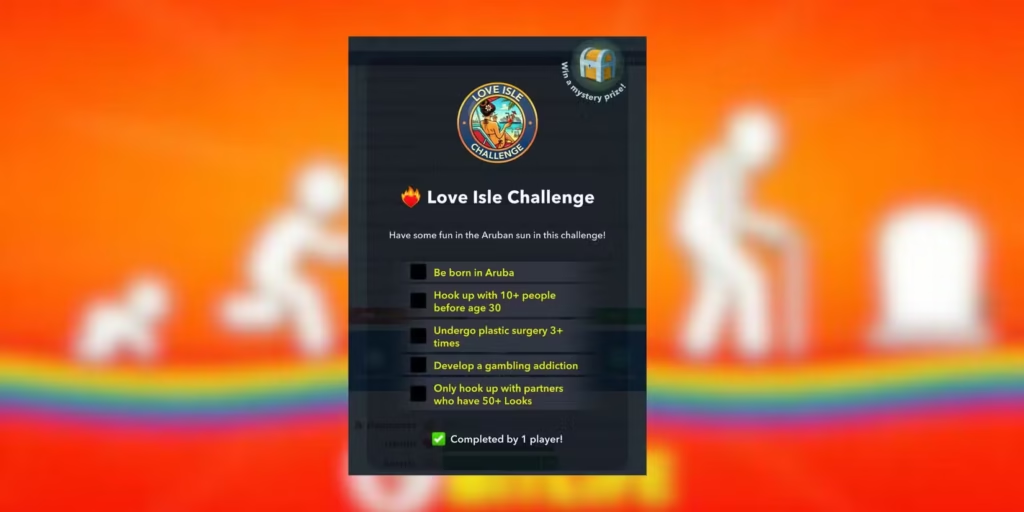
The original Love Isle Challenge had five objectives. The goal was to complete all five in the same character’s life.
Here are the requirements:
- Be born in Aruba.
- Hook up with at least 10 people before turning 30.
- Undergo plastic surgery at least three times.
- Develop a gambling addiction.
- Only hook up with partners whose Looks stat is at least 50.
These instructions are based on published walkthroughs of the 2024 challenge. Menu names and game mechanics can change between versions, so some steps may differ if the challenge returns.
Step 1: Be Born in Aruba
Your character must be born in Aruba.
When creating a new character, open the character creation options and look for Aruba in the country or birthplace selection. Select it before beginning the new life.
Do not choose another country and expect to complete this requirement later. The objective concerns your character’s birthplace, not simply visiting Aruba during the game.
If Aruba is not available in your character creation options, check the available locations and game version before proceeding.
Step 2: Hook Up With at Least 10 People Before Age 30
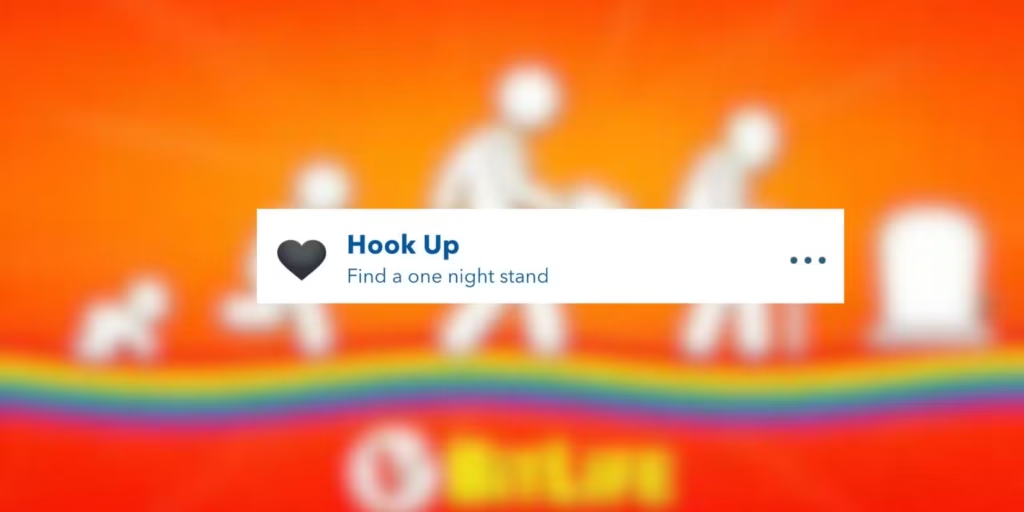
Your character must hook up with at least 10 people before reaching their 30th birthday.
Follow these steps:
- Age your character until they can access adult relationship activities.
- Open Activities and look for the Love or Hook Up option.
- Select an available partner.
- Check the partner’s Looks stat before accepting.
- Repeat until you have completed at least 10 qualifying encounters.
Keep track of your character’s age as you progress. You must finish this objective before turning 30.
The most important detail is that every partner must also meet the Looks requirement in the fifth objective. Completing 10 encounters with unsuitable partners may prevent you from finishing the challenge.
Step 3: Only Hook Up With Partners Who Have at Least 50 Looks
This requirement applies throughout the challenge. Each person you hook up with must have a Looks stat of 50 or higher.
BitLife may display Looks as a bar rather than an exact numerical score. If the game does not show a number, choose partners whose Looks bar is clearly more than halfway full.
Be careful when selecting a partner. Do not accept an encounter simply because the character is available. Check the Looks stat first.
If you accidentally hook up with someone below the required threshold, you may be unable to complete the challenge with that life. Starting a new life may be the simplest option if you do not have a way to reverse the mistake.
Step 4: Undergo Plastic Surgery at Least Three Times
Your character must undergo at least three plastic surgery procedures.
To attempt this objective:
- Open Activities.
- Find the Plastic Surgery section.
- Choose an available procedure.
- Review the cost and any risks before proceeding.
- Repeat until your character has completed at least three procedures.
You do not need to choose three different types of surgery unless the challenge instructions specifically say otherwise. The published walkthroughs describe completing three or more procedures.
Make sure your character has enough money to cover the costs. Some procedures may be expensive, and unsuccessful operations may create additional problems.
Step 5: Develop a Gambling Addiction
The final objective is to develop a gambling addiction.
In the original challenge walkthroughs, players used the casino and repeatedly participated in gambling activities, including Blackjack, to work toward this requirement.
If the casino is available in your version of BitLife:

- Open Activities and look for the casino or gambling option.
- Choose an available game, such as Blackjack.
- Follow the game’s prompts to place a bet and play.
- Continue checking your character’s status as you progress through the years.
There is no need to win every hand. The objective is to develop the required addiction status, not to become a successful gambler.
Be aware that gambling can cost your character money and affect other aspects of their life. Avoid risking money you need for the plastic surgery objective.
Once all five requirements have been completed, the game should recognize the challenge if it is active and available in your version.
Can You Play BitLife Love Island for Free?
BitLife is free to download, but it includes optional in-app purchases. Some features and content may require payment.
The original Love Isle Challenge was a limited-time event. Downloading the free app today does not guarantee access to that specific challenge.
If you want to try the challenge, check the in-game challenge menu for a returning event or another available option. Do not pay for an unrelated feature based on a promise that it will unlock the original Love Isle Challenge.
You can check the official app listings for current purchase information:
Is There a BitLife Love Island APK?
There is no need to download a separate APK for the Love Isle Challenge. It was part of BitLife, so the official Android app is the appropriate starting point.
You may find websites offering a BitLife APK, a modified APK, or a version that claims to unlock all paid features. These downloads are not necessarily authorized or safe.
Unofficial APK files can contain harmful software, request unnecessary permissions, or put your game data at risk. They may also fail to work with the latest version of BitLife.
For a safer installation, use the official Google Play listing. If the game is unavailable in your region, check the developer’s official website or support team for guidance rather than relying on an unknown download site.
How to Update BitLife on Android and iOS
If you already have BitLife installed, updating it may help fix bugs and give you access to newer content.
Update BitLife on Android
- Open Google Play.
- Search for BitLife or open its installed app listing.
- If an Update button appears, tap it.
- Wait for the update to finish, then reopen the game.
Update BitLife on iPhone
- Open the Apple App Store.
- Search for BitLife or open the game’s store listing.
- Check whether an update is available.
- Tap Update if the option appears.
If no update appears, you may already have the latest version available for your device or region. You can also check the official BitLife Help Center for troubleshooting advice.
Does updating BitLife bring back Love Isle?
Not necessarily. An app update does not automatically reactivate every past limited-time challenge. Check the game’s current events and official announcements to find out whether Love Isle has returned.
Frequently Asked Questions
What is BitLife Love Island?
It usually refers to BitLife’s Love Isle Challenge, a limited-time event from August 2024 that required players to complete five objectives involving birthplace, relationships, appearance, surgery, and gambling.
How do I play BitLife Love Island?
Download the official BitLife app and check its available challenges. The original Love Isle Challenge has ended, so it may not be playable unless the developers bring it back.
Is BitLife Love Island available on Android?
You can download BitLife on Android through Google Play. However, the availability of the original Love Isle Challenge depends on whether it is currently offered in the game.
Can I download BitLife Love Island on iOS?
You can download BitLife for iPhone and iPad from the Apple App Store. There is no separate official Love Isle Challenge app.
Can I play BitLife Love Island on PC?
BitLife is primarily a mobile game, with compatibility also available for certain Mac computers. Check the official game listing and system requirements before trying to run it on a PC.
How many objectives are in the Love Isle Challenge?
There were five objectives: be born in Aruba, hook up with at least 10 people before age 30, undergo at least three plastic surgery procedures, develop a gambling addiction, and only hook up with partners who have at least 50 Looks.
Can I complete the Love Isle Challenge without paying?
The base BitLife app is free to download, but some content requires in-app purchases. The original challenge was a limited-time event, and its current availability cannot be guaranteed.
Is the Love Isle Challenge the same as Love Island: The Game?
No. The Love Isle Challenge was part of BitLife. Love Island: The Game is a separate dating game based on the Love Island reality television franchise.
How do I get the latest BitLife update?
Open the Google Play Store or Apple App Store, find BitLife, and install the update if one is available. For update problems, consult the official BitLife Help Center.
Final Thoughts
BitLife Love Island is a popular search term for players looking for the Love Isle Challenge, but the two names should not be confused with a separate downloadable game.
You can install the official BitLife app on Android or iOS and explore its available activities. If the Love Isle Challenge returns, remember its five requirements: be born in Aruba, hook up with at least 10 people before age 30, undergo three or more plastic surgery procedures, develop a gambling addiction, and only choose partners with at least 50 Looks.
For the safest download and the latest game information, use the official app stores and BitLife’s support website.