How to use AI to write a letter

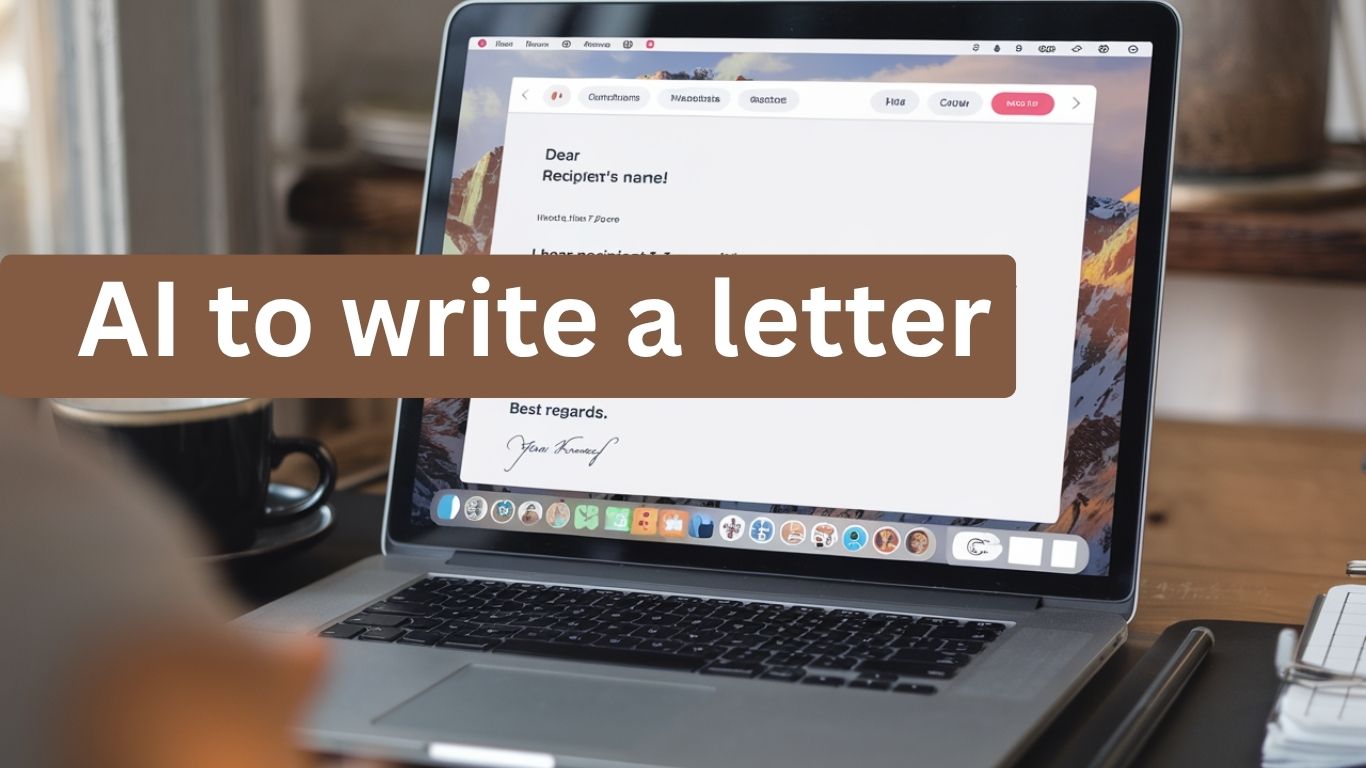
Writing a letter does not have to take hours. With an AI writing tool, you can turn your ideas, notes, or a simple explanation into a clear letter in minutes.
You can use AI to write a personal letter, formal letter, business letter, complaint letter, request letter, resignation letter, thank-you letter, recommendation letter, cover letter, and many other types of correspondence.
The important part is knowing how to use AI to write a letter properly. Instead of asking an AI tool to simply “write a letter,” give it the right information, review what it creates, and add your own voice before sending it.
This guide explains how to write a letter with AI, what information to give an AI writing assistant, the prompts you can use, how to make an AI-written letter sound human, and how to choose the right AI tool for the job.
What is AI letter writing?
AI letter writing is the use of artificial intelligence to help create, rewrite, improve, or organize a letter based on instructions you provide.
You might also like

An AI writing tool can help you decide how to structure your letter, turn rough notes into complete sentences, adjust the tone, correct grammar, and create a first draft.
For example, instead of starting with a blank page, you could tell an AI tool:
Write a polite letter to my landlord explaining that the kitchen sink has been leaking for three days. Ask for the repair to be completed this week.
The AI can turn those instructions into a structured letter. You can then check the details, change anything that does not sound like you, and add information that is missing.
This is why AI is best treated as a writing assistant rather than a replacement for your judgment. The first draft is not necessarily the final letter.
You might also like

Can AI write a letter for me?
Yes. AI can write a complete first draft of a letter when you provide enough information about what you want to say.
You can ask AI to write a letter from scratch or give it notes that you have already written. You can also ask it to rewrite an existing letter, make a letter more professional, shorten it, change its tone, or correct grammar.
However, you should always read an AI-generated letter before sending it. AI can misunderstand your instructions, leave out important details, use the wrong tone, or sometimes create information that you did not provide.
The goal is not simply to let AI speak for you. The goal is to use AI to help you communicate more clearly and efficiently.
How to use AI to write a letter
The basic process is simple:
You might also like

- Decide what type of letter you need.
- Give the AI the important information.
- Tell it who the letter is for.
- Explain the result you want.
- Choose the tone and length.
- Ask AI to create the first draft.
- Review and personalize the letter before sending it.
This process works with most modern AI writing tools, including general-purpose AI chatbots and dedicated AI writing assistants.
1. Decide what type of letter you need
Start by identifying the purpose of your letter.
Are you writing a formal letter, personal letter, business letter, complaint, request, apology, resignation, thank-you note, recommendation letter, or cover letter?
Knowing the purpose helps the AI understand the structure and tone you need.
For example, a letter to a close friend should not sound like a letter to a company, employer, government office, or customer.
You might also like

2. Give AI the important information
The quality of an AI-written letter depends heavily on the information you provide.
Before asking AI to write the letter, collect the important facts. Depending on the situation, this could include:
- Who will receive the letter
- Why you are writing
- What happened
- Important dates
- Names or roles
- Relevant facts
- What you want the recipient to do
- The tone you want
- How long the letter should be
You do not need to write everything perfectly. You can give AI rough notes and let it organize them.
For example:
I ordered a laptop on August 20. It arrived on August 25 with a damaged screen. I contacted customer service but have not received a replacement. I want a polite but firm complaint letter asking for a replacement or refund.
You might also like

That gives the AI enough context to create a much more useful draft than simply saying, “Write a complaint letter.”
3. Tell AI who the letter is for
The recipient matters because it affects the language and tone.
A letter to your friend can be casual and conversational. A letter to your manager may need to be professional. A letter to a business may need to be polite and firm.
Tell the AI exactly who will receive the letter and what your relationship is with that person or organization.
4. Explain what you want the letter to achieve
Do not only tell AI what happened. Tell it what you want to happen next.
You might also like

For example:
Ask the company to refund the full amount within seven business days.
This gives the letter a clear purpose and makes the final result more useful.
5. Choose the tone and length
You can tell AI how you want the letter to sound.
Useful instructions include:
You might also like

- Formal
- Professional
- Friendly
- Warm
- Polite
- Respectful
- Firm
- Persuasive
- Apologetic
- Grateful
- Concise
- Conversational
You can also tell AI how long you want the letter to be.
For example:
Keep the letter professional, respectful, and under 300 words.
6. Ask AI to write the first draft
Once you have supplied the information, ask the AI to create the letter.
The first version gives you something to work with. If it is not right, you can continue the conversation and ask the AI to change it.
You might also like

You can say:
Make it warmer.
Or:
Make the request more direct without sounding rude.
Or:
You might also like

Rewrite this so it sounds natural and conversational.
You do not have to start again every time.
7. Review and personalize the letter
This is one of the most important steps.
Do not automatically copy and send an AI-generated letter. Read the entire letter and check whether it actually represents what you want to say.
Check the names, dates, facts, requests, tone, grammar, and any claims made by the AI.
You might also like

Then add your own words and personal details.
The more important the letter is, the more carefully you should review it.
What information should you give AI before writing a letter?
A useful way to think about an AI letter prompt is:
Purpose + recipient + situation + important facts + desired outcome + tone + length.
For example:
You might also like

Write a professional complaint letter to the customer service manager of a laptop company. I purchased a laptop on August 20 and received it on August 25 with a damaged screen. I contacted customer service but have not received a replacement. Ask for either a replacement or full refund. Keep the tone polite but firm and keep the letter under 300 words.
That is much more useful than:
Write me a complaint letter.
The more specific your instructions are, the easier it is for AI to produce a useful first draft.
What is the best prompt for writing a letter with AI?
There is no single prompt that works perfectly for every situation, but you can use a reusable template.
You might also like

Master AI letter prompt
Write a [type of letter] to [recipient].
The purpose of this letter is [purpose].
Here is the situation: [explain what happened].
Important details to include: [facts, dates, names, or other relevant information].
I want the recipient to [desired outcome].
You might also like
Use a [formal/friendly/professional/warm/firm] tone.
Keep it around [length] words.
Do not invent facts or information that I have not provided.
Make the letter clear, natural, and easy to read.
This prompt can be adapted for almost any type of letter.
You might also like

AI letter prompts for different types of letters
The same basic AI writing process can be used for many different situations.
Personal letter
Write a warm personal letter to my friend thanking them for supporting me during a difficult period. Mention that I appreciate the time they spent checking on me and helping me stay positive. Make it sincere and conversational, not overly formal.
Formal letter
Write a formal letter to my local government office requesting information about a business registration application. Explain that I submitted the application on August 10 and have not received an update. Keep the tone respectful and professional.
Business letter
Write a professional business letter to a potential client introducing our AI automation service. Explain how AI can help reduce repetitive work and improve business productivity. Keep the letter clear, helpful, and focused on the client’s needs rather than making exaggerated claims.
Complaint letter
Write a polite but firm complaint letter to a company about a damaged product I received. Explain what happened, include the purchase date, and request a replacement or refund. Do not exaggerate the situation.
You might also like
Request letter
Write a professional request letter to my manager asking for approval to attend a business training program. Explain how the training could improve my skills and benefit my work. Keep the tone respectful and concise.
Apology letter
Write a sincere apology letter to a customer for a delayed delivery. Take responsibility for the inconvenience, avoid making excuses, explain what is being done to resolve the issue, and maintain a professional but human tone.
Thank-you letter
Write a warm thank-you letter to a mentor who helped me improve my business skills. Make it personal and sincere without sounding overly formal.
Resignation letter
Write a professional resignation letter to my manager. State that I am resigning from my position and include my intended final working date. Keep the tone respectful and appreciative, and do not include unnecessary personal details.
Recommendation letter
Write a professional recommendation letter for a colleague who is applying for a marketing position. Use the information I provide about their skills, experience, and achievements. Do not invent qualifications or accomplishments.
You might also like

Cover letter
Write a tailored cover letter for the job described below. Use only the experience and qualifications I provide. Explain why my background fits the position and keep the tone confident but natural. Do not invent work history, skills, or achievements.
How to make an AI-written letter sound human
One of the biggest problems with AI letter writing is that the result can sound generic.
An AI-generated letter may be grammatically correct but still feel like something nobody would naturally say.
You can improve it by adding your own voice.
Start by removing sentences you would never say yourself. Replace generic expressions with specific details. Add a personal experience, explain how you actually feel, or use words that are natural to your normal communication style.
You might also like

You can also ask AI to rewrite the letter:
Rewrite this letter in a natural conversational style. Keep my meaning and facts exactly the same. Avoid generic phrases and overly formal language.
But do not rely on that instruction alone. Read the result yourself and make the final changes.
The goal is not to hide that AI helped you. The goal is to make sure the final letter accurately represents you.
How to edit and improve an AI-written letter
Think of the AI draft as a starting point.
You might also like
First, check whether every important fact is correct. Then check whether the letter actually answers the reason you are writing it.
Look for unnecessary paragraphs, repeated ideas, exaggerated claims, awkward wording, and statements you cannot support.
Then check the tone.
A complaint letter that sounds too aggressive can hurt your chances of getting help. A business letter that sounds too casual can make you look unprofessional. A personal letter that sounds too formal can feel distant.
After that, add your own words and details.
You might also like

Finally, read the letter from the recipient’s point of view.
Ask yourself:
Would I understand exactly what this person wants from me?
If the answer is no, make the request clearer.
Can AI write a formal letter?
Yes. AI can create a formal letter when you explain the purpose, recipient, facts, and tone.
You might also like

You can ask AI to use professional language, organize the information clearly, and keep the letter concise.
However, formal letters often involve important details such as names, dates, addresses, legal matters, employment information, or financial information. Review these carefully before sending the letter.
Can AI write a personal letter?
Yes. AI can help you write a personal letter, especially when you know what you want to say but are struggling to put your thoughts into words.
For a personal letter, give the AI enough context about the relationship and the message you want to communicate.
The final version should still contain your own thoughts, experiences, and feelings. That is what makes a personal letter personal.
You might also like

Can AI write a business letter?
Yes. AI can help businesses create many types of business correspondence.
You can use it to draft customer messages, sales letters, partnership requests, business introductions, follow-ups, internal communication, and other professional correspondence.
For businesses, this can save time on repetitive writing tasks. Instead of starting every letter from a blank page, a team can use AI to create a first draft and then review it before sending.
This is one example of how AI can improve business productivity. At Ezechax, we focus on practical ways to use AI not simply to generate content, but to help businesses build better systems, reduce repetitive work, and create more room for growth.
Can AI write a complaint letter?
Yes. AI can help organize a complaint into a clear and professional letter.
You might also like

Give it the relevant facts, explain the problem, provide evidence or dates when appropriate, and clearly state the resolution you want.
For example, you could ask AI to make the complaint firm but respectful rather than aggressive.
That can help you communicate the problem without weakening your request.
Can AI write a resignation letter?
Yes. A resignation letter is one of the simpler professional letters to create with AI.
Tell the AI your position, employer, intended final working date, and the tone you want.
You might also like

Do not ask it to invent reasons for your resignation. If you want to explain why you are leaving, provide the reason yourself or tell the AI to leave it out.
Can AI write a recommendation letter?
Yes, but this requires extra care.
AI can organize information about someone’s skills, experience, achievements, and character into a professional recommendation letter.
However, it should not invent accomplishments, qualifications, relationships, or experiences.
The person responsible for the recommendation should review and approve the final letter.
You might also like

Can AI write a cover letter?
Yes. AI can help create a cover letter based on a specific job description and your actual experience.
For better results, provide both the job requirements and your relevant skills or work history.
Never allow the AI to invent experience just to make you appear more qualified. A strong cover letter should connect your real experience to the employer’s needs.
What is the best AI for writing letters?
The best AI for writing a letter depends on what you need.
General-purpose AI chatbots can be useful when you want to explain a situation in your own words and work through several revisions. Dedicated AI writing tools can also help with drafting, rewriting, grammar, tone, and structure.
You might also like

Tools such as ChatGPT, Gemini, Claude, Microsoft Copilot, and other AI writing assistants can all be used for letter writing.
You do not necessarily need a specialized AI letter generator. A good general-purpose AI tool can often create a strong first draft when you provide clear instructions.
The more important question is not simply which AI writes the letter. It is whether the tool helps you produce a letter that is accurate, useful, and appropriate for the recipient.
Can you use AI to write a letter for free?
Yes. Some AI writing tools offer free access that can be used for basic letter writing.
The exact features and usage limits vary between services, so check the current terms of the tool you choose.
You might also like

If you only need to write an occasional letter, a free general-purpose AI chatbot may be enough. If you regularly create business correspondence, you may benefit from a tool with additional writing, editing, or workflow features.
Is it safe to use AI to write a letter?
AI can be useful for writing letters, but you should think carefully about the information you provide.
Avoid putting unnecessary sensitive information into an AI tool. For example, you generally do not need to give an AI chatbot passwords, financial account numbers, identification numbers, or other highly sensitive information just to create a letter.
You can use placeholders while drafting.
For example:
You might also like

[Full Name]
[Company Name]
[Order Number]
[Address]
After the letter is complete, replace the placeholders with the correct information.
You might also like

Also remember that the privacy practices of AI services differ. Review the privacy policy and settings of the tool you are using when the letter contains personal or confidential information.
Is it okay to use AI to write a letter?
In many everyday situations, using AI as a writing assistant can be perfectly reasonable.
The important question is how you use it.
Using AI to organize your thoughts, improve grammar, create a first draft, or help you communicate clearly is different from allowing AI to invent facts or submitting something that requires your own personal judgment without reviewing it.
Some situations have specific rules about AI use. For example, schools, employers, professional organizations, or institutions may have their own policies.
You might also like

When a letter represents your personal experience, professional judgment, recommendation, or official position, make sure the final version is accurate and genuinely approved by you.
What are the limitations of AI letter writing?
AI has made writing much faster, but it is not perfect.
It can misunderstand instructions, produce generic language, miss important context, repeat itself, or create facts that were never provided.
It can also make a letter sound too formal, too enthusiastic, or unlike the person sending it.
That is why the best AI letter-writing workflow is not:
You might also like

Prompt → copy → send.
It is:
Prompt → draft → review → personalize → proofread → send.
The human remains responsible for the final message.
How to get better results when using AI to write a letter
If your first AI-generated letter is not good enough, do not immediately switch tools.
You might also like

First, improve the instructions.
Instead of:
Write a business letter.
Try:
Write a short professional business letter to a potential client. Introduce our AI automation service and explain that we help businesses reduce repetitive administrative work. The recipient is a small business owner who is interested in improving productivity. Keep the tone helpful and confident, avoid exaggerated claims, and end with a simple invitation to discuss their current workflow.
You might also like

The second prompt gives AI much more useful information.
You can also ask AI to improve the draft in stages.
For example:
Make this shorter.
Then:
You might also like

Make the tone more natural.
Then:
Remove generic phrases.
Then:
Check the letter for unsupported claims and factual errors.
You might also like
This gives you more control over the final result.
Final thoughts on using AI to write a letter
AI can make letter writing faster, especially when you know what you want to say but do not know how to structure it.
The key is to use AI as a writing partner rather than a machine that you blindly copy from.
Give it context. Be specific about the purpose and recipient. Tell it the tone and desired outcome. Ask for a first draft. Then review the result carefully and add your own voice.
This approach works for personal communication as well as professional and business letters.
You might also like
More broadly, the same idea applies to using AI for business productivity. AI becomes more valuable when you use it to improve a real process rather than simply generate text.
At Ezechax, our focus is helping people use AI in practical ways to build and grow wealth. That means looking beyond individual AI tools and learning how to turn AI into useful systems that can save time, improve productivity, and support business growth.
Frequently Asked Questions About Using AI to Write a Letter
How do I use AI to write a letter?
Choose an AI writing tool, explain the purpose of the letter, provide the recipient and important facts, specify the tone and length, and ask the AI to create a first draft. Then review, edit, and personalize the letter before sending it.
Can AI write a letter for me?
Yes. AI can create a complete first draft of many types of letters, including personal, formal, business, complaint, request, resignation, recommendation, thank-you, and cover letters.
What should I tell AI when asking it to write a letter?
Tell AI the type of letter, recipient, purpose, situation, important facts, desired outcome, tone, and approximate length. Also tell it not to invent information you have not provided.
You might also like
What prompt should I use to write a letter with AI?
A useful prompt should explain who the letter is for, why you are writing, the important information to include, what you want the recipient to do, and how you want the letter to sound. You can use the master AI letter prompt in this guide as a starting point.
What is the best AI for writing letters?
There is no single best AI for every situation. ChatGPT, Gemini, Claude, Microsoft Copilot, and dedicated AI writing tools can all help with letter writing. The best choice depends on the type of letter and the writing and editing features you need.
Can ChatGPT write a letter?
Yes. ChatGPT can create, rewrite, shorten, expand, proofread, and change the tone of a letter when you provide clear instructions and accurate information.
Can AI write a formal letter?
Yes. AI can create formal letters for professional, business, organizational, and other situations. You should review the final letter carefully, especially when it contains important facts or official information.
Can AI write a personal letter?
Yes. AI can help you organize your thoughts and create a personal letter, but adding your own experiences, feelings, and natural wording will make the final letter more personal.
You might also like

How do I make an AI-written letter sound human?
Give AI specific information instead of a vague prompt, then remove generic wording and add your own phrases, experiences, and details. Read the final letter aloud and change anything that does not sound like something you would naturally say.
Can AI write a complaint letter?
Yes. Give AI the facts of the problem, relevant dates, what you have already done to resolve it, and the result you want. Ask for a tone that is firm, clear, and respectful.
Can AI write a resignation letter?
Yes. Give AI your position, employer, intended final working date, and preferred tone. Review the letter carefully before submitting it to your employer.
Can AI write a recommendation letter?
Yes, but the recommendation should be based on real information. AI should not invent someone’s qualifications, achievements, experience, or relationship with the recommender.
Can AI write a cover letter?
Yes. AI can help create a cover letter based on a job description and your actual experience. Give it accurate information about your skills and work history and check the final version before applying.
You might also like

Is there a free AI letter writer?
Yes. Some AI tools offer free letter-writing features. Free access, usage limits, and available features can change, so check the current terms of the tool you choose.
Is it safe to use AI to write a letter?
AI can be useful for letter writing, but avoid providing unnecessary sensitive information. Use placeholders for private information when possible and review the privacy settings and policies of the AI service you use.
Should I edit an AI-generated letter before sending it?
Yes. Always review an AI-generated letter before sending it. Check the facts, names, dates, tone, grammar, and overall message, then add any personal details needed to make the letter accurate and appropriate.
You might also like