25 Best Avatar Creator (Generator) Websites & Apps (Free vs Paid) in 2026

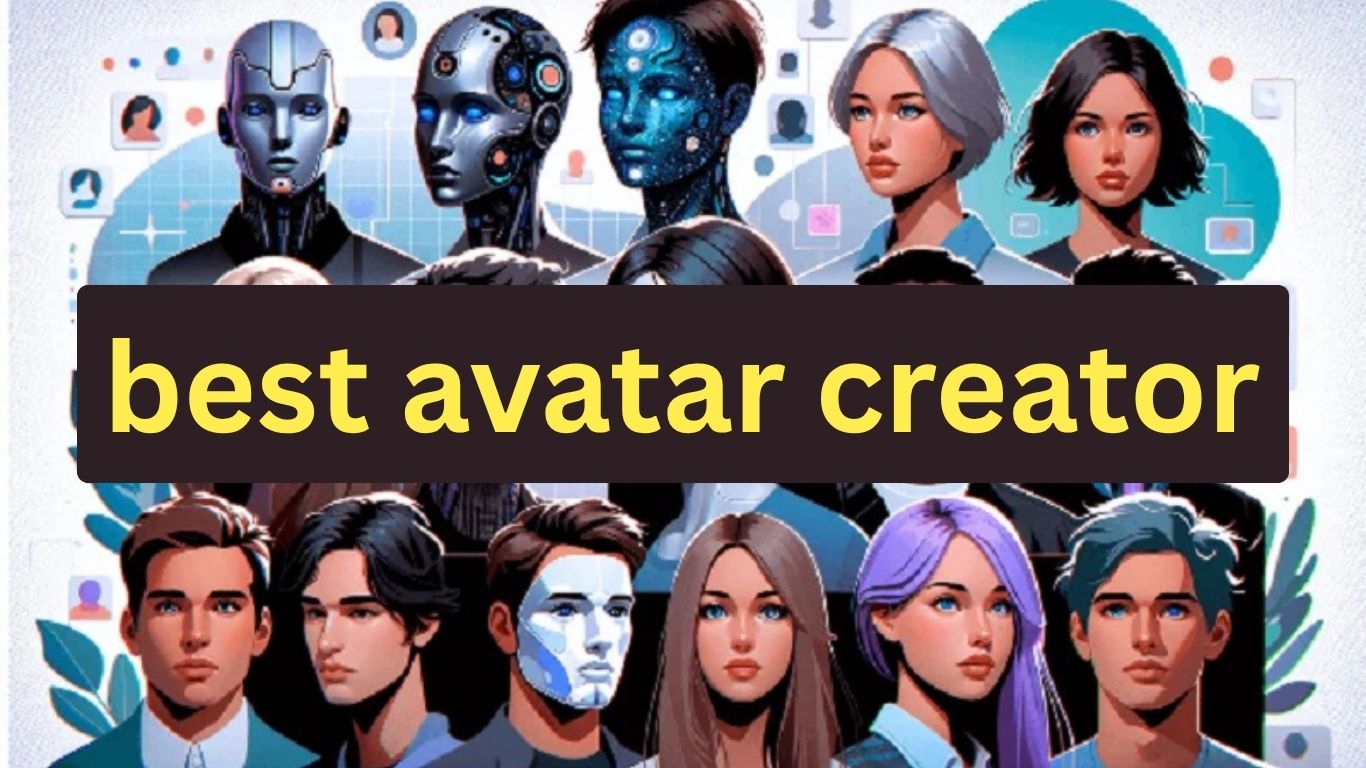
Looking for the best avatar creator in 2026 to design your perfect digital self?
Creating an avatar is no longer limited to choosing a hairstyle, skin tone, and a few cartoon accessories. Today, avatar creator websites and apps can turn a photo into an AI avatar, generate cartoon or anime characters, create realistic profile pictures, build 3D characters, and even produce talking avatar videos.
The best avatar generator for you depends on what you want to create. You might need a free avatar maker for a social media profile, an AI avatar generator that creates an avatar from your photo, a gaming character, a professional avatar for LinkedIn, or a talking AI avatar for videos and presentations. Some tools are completely free, while others use credits, subscriptions, or paid features.
In this guide, we’ve carefully selected the 25 best avatar creator websites and apps (both free and paid) based on realistic results, customization features, and user experience.
What Is an Avatar Creator or Avatar Generator?
An avatar creator is a website or app that lets you design a digital representation of yourself or another character. Traditional avatar makers usually let you manually choose features such as the face, hair, clothing, body, accessories, and background.
You might also like

An AI avatar generator uses artificial intelligence to automate more of the process. Depending on the tool, you can upload a selfie, provide a text description, choose a visual style, or combine several options to generate an avatar automatically.
The terms avatar creator, avatar maker, and avatar generator are often used interchangeably, but they can describe slightly different experiences. A creator or maker usually gives you more manual customization, while a generator often creates the avatar automatically from a photo, prompt, or preset style.
What Can You Create With an Avatar Generator?
Modern avatar generators can create much more than a simple cartoon profile picture. The right tool depends on the type of avatar you need.
You can use an avatar creator to make:
- AI avatars of yourself from a selfie or photo
- Cartoon avatars for social media profiles
- Anime avatars and anime-style characters
- Realistic AI avatars for professional profiles
- 3D avatars for games, VR, and virtual worlds
- Gaming avatars for Discord, Twitch, YouTube, and other platforms
- AI profile pictures and PFPs
- Professional avatars for LinkedIn and business profiles
- Talking AI avatars for videos and presentations
- Virtual presenters for business and corporate content
- Custom characters based on your own ideas or descriptions
Because these use cases are different, there is no single avatar generator that is automatically best for everyone.
You might also like
How Do You Choose the Best Avatar Creator?
The best avatar creator should match the type of avatar you want to make, how much customization you need, and how you plan to use the finished image or video.
Before choosing an avatar generator, compare these features:
- Free vs paid features: Check whether the tool is actually free or only offers limited credits.
- Avatar style: Look for cartoon, anime, realistic, 3D, gaming, professional, or other styles you need.
- Photo-to-avatar support: If you want an avatar of yourself, check whether you can upload a selfie or photo.
- Customization: Look at how much control you have over hair, clothing, facial features, expressions, backgrounds, and accessories.
- Image quality: Check the available resolution and whether HD downloads are restricted to paid plans.
- Watermarks: Some free avatar generators add watermarks to downloaded images.
- Platforms: Check whether the service works on the web, iPhone, Android, or multiple platforms.
- Privacy: If you upload your face or personal photo, check how the service handles uploaded images.
- Commercial rights: If you plan to use the avatar for a business, YouTube channel, advertising, or other commercial work, check the license.
- Video features: For talking avatars, check voice generation, lip-syncing, video length, and export options.
- Ease of use: A simple avatar maker may be better than a complicated professional platform if you only need a profile picture.
Free vs Paid Avatar Generators: Which Should You Choose?
A free avatar generator can be enough if you only need a simple profile picture or want to experiment with different avatar styles. However, free plans commonly have restrictions such as limited generations, lower image resolution, watermarks, fewer customization options, or limited downloads.
Paid avatar generators are generally more useful when you need higher-quality results, more generations, advanced customization, commercial usage rights, or professional video features.
If you only need one avatar for a personal social media account, start with a free option. If you are creating avatars regularly for a business, brand, content channel, presentations, or professional projects, compare the paid plans and licensing terms before making a decision.
You might also like

Best Avatar Creator Websites and Apps
The following avatar creators and generators are compared based on their features, pricing, ease of use, customization options, image quality, supported platforms, and the type of avatar they can create.

1. Ready Player Me – Best for 3D Metaverse Avatars
Platform: Web, iOS, Android
Price: Free
Ready Player Me is one of the best avatar creators for anyone interested in the metaverse, gaming, or VR experiences.
You can take a selfie, and it automatically generates a 3D avatar that you can customize – from hairstyles to outfits. It integrates with hundreds of games and virtual worlds like VRChat and Spatial.
Why it stands out:
You might also like

- Compatible with metaverse and VR platforms
- Realistic 3D avatars
- Huge customization options
- Free to use
Best for: Gamers, streamers, and metaverse users.
2. Zmoji – Best for Fun Cartoon-Style Avatars
Platform: iOS, Android
Price: Free (in-app purchases available)
Zmoji is a simple yet powerful cartoon avatar creator. You can take a selfie or start from scratch to build your avatar manually.
Once done, Zmoji allows you to generate emojis, GIFs, and stickers featuring your avatar – great for social media use.
Why it stands out:
You might also like

- Fun cartoon-style avatars
- Great for stickers and emojis
- Fast and easy to use
Best for: Social media users and mobile creators.
3. Bitmoji – Best for Snapchat Users
Platform: iOS, Android, Web
Price: Free
Bitmoji, owned by Snapchat, remains one of the most popular avatar creators worldwide.
Its avatars can be used across social platforms and integrated directly with Snapchat to represent your virtual persona in chats, games, and stories.
Why it stands out:
You might also like

- Deep Snapchat integration
- Thousands of outfit options
- Works across apps
Best for: Snapchat users and those who love expressive avatars.
4. Avatoon – Best for Realistic Cartoon Avatars
Platform: iOS, Android
Price: Free (premium upgrades available)
Avatoon lets you transform your real photo into a polished cartoon-style avatar using AI. It offers tons of customization tools for hairstyles, facial features, and outfits.
It’s perfect for creating avatars that look like you while still maintaining a cartoon aesthetic.
Why it stands out:
You might also like

- AI-powered avatar generator
- High-quality cartoon avatars
- Perfect for social media
Best for: Influencers, YouTubers, and social profile branding.
5. Fotor AI Avatar Generator – Best AI-Powered Avatar Creator
Platform: Web
Price: Free & Paid (AI premium features)
Fotor’s AI Avatar Generator uses advanced AI to create professional-looking avatars from a single photo.
It can generate avatars in multiple styles — 3D, anime, gaming, business portraits, and fantasy — making it one of the most versatile options online.
Why it stands out:
You might also like

- 50+ AI avatar styles
- Instant generation
- Great for profile pictures and content creators
Best for: Professionals, gamers, and content creators.
6. Picrew – Best for Anime-Style Avatars
Platform: Web
Price: Free
Picrew.me is an anime-style avatar maker popular among artists and fans of Japanese aesthetics.
It allows creators to upload their own avatar designs and lets users mix and match different styles. The customization depth is impressive, from facial features to fashion.
Why it stands out:
You might also like

- Unique anime styles
- User-created avatar templates
- 100% free
Best for: Anime fans and artists.
7. ToonMe – Best for AI Cartoon Avatars
Platform: Web, iOS, Android
Price: Free (Pro plan available)
ToonMe instantly turns your photo into an AI-generated cartoon avatar. It’s fast, user-friendly, and perfect for profile pictures or digital branding.
It supports both full-body and portrait avatar styles.
Why it stands out:
You might also like
- AI-generated cartoon results
- Easy one-click avatar creation
- Excellent for social media
Best for: Influencers and professionals who want cartoon-styled portraits.
8. Character Creator – Best for Game-Style Avatars
Platform: Web
Price: Free
Character Creator is a professional-grade 3D avatar builder often used by developers and designers.
It allows users to fine-tune every detail – from bone structure to skin tone and facial expressions. It’s ideal for those creating characters for games or animations.
Why it stands out:
You might also like

- Ultra-detailed customization
- Realistic 3D modeling
- Game-ready avatars
Best for: Game developers, 3D artists, and animators.
9. Artbreeder – Best for AI-Generated Human Avatars
Platform: Web
Price: Free (Pro available)
Artbreeder uses AI-powered genetic blending to create photorealistic avatars. You can mix and “evolve” faces by adjusting sliders – creating lifelike human avatars for creative or professional projects.
Why it stands out:
- AI-blended realism
- Infinite variations
- Perfect for creative projects
Best for: Artists, writers, and designers.
You might also like

10. Doll Divine – Best for Fantasy & RPG Avatars
Platform: Web
Price: Free
Doll Divine offers a collection of fantasy, RPG, and dress-up avatar creators. It’s especially popular among role-playing and cosplay communities.
Why it stands out:
- Creative fantasy avatars
- Many themed generators (warrior, fairy, princess, etc.)
- 100% free
Best for: Fantasy lovers and RPG fans.
11. Lensa AI – Best for AI Selfie Avatars
Platform: iOS, Android
Price: Paid (Subscription-based)
You might also like

Lensa AI became famous for its “Magic Avatars.” You upload your photos, and it generates hundreds of AI-stylized avatars with professional or fantasy aesthetics.
Why it stands out:
- Realistic & artistic results
- AI-powered filters
- Easy to use
Best for: Professionals, influencers, and creative users.
12. Canva Avatar Maker – Best for Designers
Platform: Web, App
Price: Free
Canva’s Avatar Maker lets you design custom avatars right inside its drag-and-drop editor.
You might also like
You can create profile avatars for branding, marketing, or personal use, with access to free design assets.
Why it stands out:
- Simple editor
- Free graphic elements
- Perfect for branding
Best for: Entrepreneurs, designers, and marketers.
13. Tafi Avatar Creator – Best for VR & Gaming Avatars
Platform: Windows, Oculus
Price: Free
Tafi lets you build detailed 3D avatars for VRChat, Oculus, and other platforms.
You might also like
It’s designed for gamers who want realistic, animated avatars.
Why it stands out:
- Full 3D control
- Game integration
- Compatible with VR environments
Best for: VR gamers and developers.
14. Vroid Studio – Best for 3D Anime Avatars
Platform: Windows, macOS
Price: Free
Vroid Studio lets you create anime-style 3D avatars. It’s widely used by VTubers and 3D animation creators.
You might also like

You can export avatars for use in games or videos.
Why it stands out:
- Anime 3D modeling
- Easy customization
- Ideal for VTubers
Best for: Anime creators and streamers.
15. SuperMii – Best for Cute Cartoon Avatars
Platform: Android, iOS
Price: Free
SuperMii is a fun avatar maker app for creating chibi-style cartoon characters.
You might also like
It’s colorful, light, and ideal for casual users.
Why it stands out:
- Chibi art style
- Easy to customize
- Great for social use
Best for: Mobile users and anime fans.
16. Reface AI – Best for Animated Avatars
Platform: iOS, Android
Price: Free & Paid
Reface isn’t just a face-swap app – it now supports AI-generated avatars with motion and animation.
You might also like

Why it stands out:
- AI motion avatars
- Video-ready avatars
- Great for viral content
Best for: Creators and meme lovers.
17. Avatarify – Best for Animated Profile Avatars
Platform: Web, App
Price: Free & Paid
Avatarify lets you animate static avatars with expressions and movements.
It’s ideal for creating talking or emotional avatars for videos.
You might also like
Why it stands out:
- AI facial animation
- Easy to use
- Great for YouTube and TikTok
Best for: Video creators and streamers.
18. Bemoji – Best Personalized 3D Avatar App
Platform: Android, iOS
Price: Free
Bemoji creates a 3D avatar version of yourself with tons of facial expressions, hairstyles, and outfit choices.
Why it stands out:
You might also like

- Expressive 3D avatars
- Large outfit collection
- Great mobile usability
Best for: Social and mobile users.
19. Character.AI Avatar – Best for AI Chat Avatars
Platform: Web
Price: Free
Character.AI lets you create AI avatars that can talk and respond like humans.
You can make your own AI characters or chat with existing ones.
Why it stands out:
You might also like

- Conversational avatars
- Fully AI-powered
- Great for creative roleplay
Best for: AI enthusiasts and storytellers.
20. IMVU Avatar Creator – Best for Virtual Worlds
Platform: Web, App
Price: Free
IMVU has one of the most advanced avatar systems for virtual interaction.
It offers endless outfit combinations, poses, and 3D customization.
Why it stands out:
You might also like

- Social virtual world
- Full-body avatars
- Deep customization
Best for: Social gamers and roleplayers.
21. FaceYourManga – Best Comic Avatar Generator
Platform: Web
Price: Free
FaceYourManga allows you to build cartoon-style avatars with incredible detail.
It’s perfect for comic lovers or profile icons.
Why it stands out:
You might also like

- High customization
- Crisp cartoon visuals
- Easy interface
Best for: Comic fans and creative users.
22. My Blue Robot – Best for Minimalist Cartoon Avatars
Platform: Web
Price: Free
My Blue Robot offers simple cartoon avatar creation with fun facial expressions.
It’s great for profile pictures or casual branding.
Why it stands out:
You might also like

- Lightweight and quick
- Simple cartoon look
- Free to use
Best for: Bloggers and freelancers.
23. Cre8tive AI Avatar – Best for AI-Generated Profile Avatars
Platform: Web
Price: Paid
Cre8tive AI Avatar produces stunning AI avatars from photos in different creative styles — business, anime, portrait, and fantasy.
Why it stands out:
- Multiple AI styles
- Fast results
- Great for professional profiles
Best for: Professionals and creators.
You might also like
24. Stylized.AI – Best for Artistic AI Avatars
Platform: Web
Price: Paid
Stylized.AI creates artistic, AI-generated portraits with a hand-drawn aesthetic.
Its avatars are often used for social media and brand visuals.
Why it stands out:
- Unique art filters
- AI-generated portraits
- Professional output
Best for: Artists and designers.
You might also like

25. PhotoRoom Avatar Maker – Best for Branded Avatars
Platform: Web, App
Price: Free & Paid
PhotoRoom recently added an avatar generator that helps create profile-ready, clean avatars perfect for branding.
Why it stands out:
- Studio-quality avatars
- Ideal for personal branding
- Fast and easy to use
Best for: Entrepreneurs and business owners.
How Do I Generate an AI Avatar of Myself?
You can generate an AI avatar of yourself by uploading a clear photo or selfie to an AI avatar generator, choosing an avatar style, and letting the tool create a digital version of your appearance. Depending on the generator, you may be able to create realistic portraits, cartoon avatars, anime characters, 3D avatars, or professional profile pictures.
You might also like

Start with a clear photo where your face is easy to see. A front-facing image with good lighting and minimal obstruction usually gives an AI avatar generator more useful information about your facial features.
Step 1: Choose an AI avatar generator
First, choose a generator that supports the type of avatar you want. Some tools specialize in realistic AI portraits, while others focus on cartoon, anime, gaming, 3D, or professional avatars.
If you want to use the avatar for business or commercial content, also check the tool’s licensing terms before creating it.
Step 2: Upload a photo of yourself
Upload a suitable selfie or portrait. Some AI avatar generators allow multiple photos so they can better understand your facial features and produce more consistent results.
Avoid heavily filtered images, very dark photos, group photos, or pictures where your face is partly covered unless the generator specifically supports them.
You might also like

Step 3: Choose your avatar style
Select the style you want. Depending on the platform, you may be able to choose realistic, cartoon, anime, 3D, fantasy, gaming, professional, or other visual styles.
Step 4: Generate your avatar
Submit the photo and allow the AI system to create your avatar. Some generators produce several variations so you can choose the one that looks closest to what you want.
Step 5: Customize the result
If customization is available, adjust features such as clothing, hairstyle, expression, background, accessories, colors, or overall appearance.
Step 6: Download or export your avatar
Once you are happy with the result, download the image in the format and resolution supported by the service. If you need the avatar for a profile picture, check that the final image works well when cropped into a square.
Best avatar generators for creating an avatar of yourself
The best choice depends on whether you want a realistic portrait, cartoon character, anime avatar, 3D model, or professional profile picture. Use the comparison above to find the tools that support your preferred style and photo-to-avatar workflow.
You might also like
How to Generate an AI Avatar
To generate an AI avatar, choose an AI avatar generator, provide a photo or description if required, select a style, and generate the avatar. Some platforms can create an avatar entirely from a text prompt, while others are designed to transform your own photo into a new digital character.
The basic process is:
- Choose an AI avatar generator.
- Decide whether you want to use a photo, selfie, or text prompt.
- Select an avatar style.
- Enter any customization instructions.
- Generate the avatar.
- Review and edit the result.
- Download the finished avatar.
For the best results, choose a generator based on the final purpose rather than simply choosing the first tool that appears in search results.
How to Generate an AI Avatar of Yourself
If you want the avatar to resemble you, use an AI generator that supports photo-to-avatar generation. Upload a clear image of yourself, choose the desired style, and generate several versions if the platform provides multiple results.
A photo-based generator is generally more suitable when resemblance is important because it can use your facial appearance as a reference. A text-based generator is better when you want a completely fictional character rather than an avatar that looks like you.
You might also like
How to Generate an AI Avatar for Free
You can generate an AI avatar for free by using a generator with a free plan or free credits. However, check the limitations before assuming that a service is completely free.
Free avatar generators may limit the number of generations, image resolution, available styles, downloads, or commercial usage. Some may also require an account or place a watermark on the finished image.
For a one-time personal avatar, a free plan may be enough. If you need many high-resolution avatars or professional/commercial results, a paid plan may offer better value.
How to Generate an Avatar From a Photo
To generate an avatar from a photo, use a photo-to-avatar or AI avatar generator that accepts image uploads. Upload your photo, select an avatar style, generate the result, and customize it if the platform provides editing controls.
For better results, use a photo with:
You might also like
- A clearly visible face
- Good lighting
- Minimal blur
- A simple background
- A natural facial expression
- No heavy filters
- No objects covering important facial features
The result can vary significantly between generators, so it can be useful to compare several tools if you want the avatar to closely resemble your original photo.
How to Generate AI Avatar Faces Online for Free?
You can generate AI avatar faces online by using a browser-based AI avatar generator that provides free generations or credits. These tools can create realistic, cartoon, anime, illustrated, or other types of digital faces without requiring traditional character-design software.
Before uploading a personal photo, check the site’s privacy policy and image-handling practices. If you only need a fictional face, consider using a generator that creates a character without requiring you to upload your own photograph.
How to Generate an AI Avatar Video for Free?
To generate an AI avatar video, use an AI avatar video platform that can turn a digital avatar into a speaking or animated video. Depending on the service, you can select an existing avatar or create one from a photo, enter a script, choose a voice, and generate the video.
A typical process looks like this:
You might also like
- Choose an AI avatar video generator.
- Select or create an avatar.
- Enter your script.
- Choose a voice and language.
- Select the background and video format.
- Generate the video.
- Review the speech, facial movement, and lip synchronization.
- Export the finished video.
Free avatar-video plans often have stricter limits than free image generators. Look for restrictions on video length, resolution, credits, watermarks, voices, and commercial use.
How to Generate an AI Avatar of a Person?
You can generate an AI avatar of a person by using a photo-based avatar generator or by describing a fictional person with an AI image generator. If you are creating an avatar based on another real person’s photograph, make sure you have appropriate permission to use their image and likeness.
For fictional characters, you can describe features such as age range, hairstyle, clothing, art style, facial expression, and background. For an existing person, a photo-based generator may produce a closer visual match.
The rules and risks are different when an avatar represents a real person, especially when the result could be mistaken for that person or used commercially.
How to Generate an AI Avatar for Corporate Events?
You can generate an AI avatar for a corporate event by choosing a professional avatar platform, creating a suitable digital presenter or branded character, and using it in event announcements, presentations, introductions, training content, or promotional videos.
You might also like

For corporate events, prioritize features such as:
- Professional-looking avatars
- Custom branding
- Script-to-video generation
- Natural voice generation
- Multiple languages
- High-resolution video
- Commercial usage rights
- Team collaboration
- Presentation and event-video support
A corporate avatar does not necessarily need to look exactly like a real employee. A branded virtual presenter can also work when the goal is to create a consistent digital identity for an event or organization.
What Is the Best Free AI Avatar Generator?
The best free AI avatar generator depends on the type of avatar you want to create. A tool that is excellent for cartoon profile pictures may not be the best choice for realistic portraits, 3D characters, or talking videos.
When comparing free generators, look beyond the word “free.” Check how many generations you receive, whether downloads are available, the image resolution, watermark policy, available styles, signup requirements, and whether the free results can be used commercially.
For personal use, prioritize ease of use and image quality. For business use, pay particular attention to licensing and commercial rights.
You might also like

What Is the Best AI Avatar Generator?
The best AI avatar generator is the one that produces the style and quality you need while offering the right combination of customization, privacy, pricing, and usage rights.
For example, someone creating a social media PFP may want a fast image generator, while a business owner may need a professional avatar with commercial rights. Someone creating a virtual character for gaming may need a 3D model rather than a simple PNG image.
There is therefore no single best avatar generator for every situation.
What Is the Best Avatar Maker From a Photo?
The best avatar maker from a photo should produce a recognizable result while giving you enough control over the style and appearance. Look for photo-upload support, multiple avatar styles, customization options, high-resolution exports, and clear privacy policies.
If resemblance is your priority, compare several generated results before deciding which platform handles your face most naturally.
You might also like
What Is the Best Cartoon Avatar Maker?
The best cartoon avatar maker is one that gives you control over the character’s facial features, hairstyle, clothing, colors, accessories, and background while producing a clean profile-ready image.
Cartoon avatar makers are particularly useful for social media profiles, messaging apps, gaming communities, websites, and personal branding.
What Is the Best Anime Avatar Generator?
The best anime avatar generator depends on the anime style you want and how much customization you need. Some generators create an avatar from your photo, while others allow you to design an original anime character from scratch.
If you want an anime version of yourself, choose a photo-to-avatar tool. If you want to create an original character, look for an anime character creator with detailed customization.
What Is the Best 3D Avatar Creator?
The best 3D avatar creator depends on whether you need a simple 3D profile character or a fully usable 3D model for gaming, virtual reality, animation, or virtual environments.
You might also like

If you need a 3D model beyond a profile image, check the available export formats, rigging support, customization, compatibility, and licensing before choosing a platform.
What Is the Best Gaming Avatar Maker?
The best gaming avatar maker should create an avatar that matches your gaming identity and the platform where you intend to use it.
For a simple gaming profile picture, an AI image or PFP generator may be enough. For games, virtual worlds, or VR environments that support actual 3D characters, you need a creator that can produce a compatible 3D avatar rather than just an image.
What Is the Best Profile Picture Generator?
The best profile picture generator depends on whether you want a realistic photo, AI portrait, cartoon character, anime avatar, or gaming PFP.
For social media, prioritize a square-friendly composition, high image quality, a recognizable face, and the ability to download the image without an unwanted watermark.
You might also like

What Is the Best AI PFP Generator?
An AI PFP generator is designed specifically to create profile pictures that can be used on social networks, communities, gaming platforms, and messaging services.
The best option should let you create a distinctive image while maintaining enough detail at the small dimensions commonly used for profile pictures.
What Is the Best Professional AI Avatar Generator?
The best professional AI avatar generator should create an image that looks appropriate for business, professional networking, websites, presentations, or other work-related uses.
Look for realistic results, professional clothing and backgrounds, high-resolution exports, consistent facial features, privacy controls, and commercial licensing where necessary.
What Is the Best Talking Avatar Generator?
The best talking avatar generator combines a digital avatar with AI-generated or uploaded speech to produce a video in which the avatar appears to speak.
You might also like

For professional use, compare voice quality, lip synchronization, languages, avatar realism, video resolution, script limits, export options, watermarking, and commercial rights.
Are AI Avatar Generators Really Free?
Some AI avatar generators offer genuinely free features, but many operate on a freemium model. This means you can create an avatar without paying, but additional generations, high-resolution downloads, premium styles, commercial rights, or advanced features may require payment.
Before choosing a free avatar generator, check:
- How many free generations are included
- Whether an account is required
- Whether downloads are free
- Whether the image has a watermark
- Maximum image resolution
- Whether your photo can be uploaded
- Commercial-use restrictions
- Whether free credits expire
The most useful comparison is therefore not simply free vs paid, but what you actually get for free.
Are AI Avatar Generators Safe?
AI avatar generators can be useful, but you should think carefully before uploading a personal photograph. Your face is sensitive personal information, so check how the service handles uploaded images, whether it stores them, how long they are retained, and whether they may be used to improve its systems.
You might also like

If privacy is important, choose a service with clear data-handling policies and avoid uploading photographs you do not have permission to use.
Can You Use a Free AI Avatar Commercially?
Not necessarily. A free avatar can be available for personal use while still having restrictions on business, advertising, monetized content, or other commercial uses.
If you plan to use an avatar for a business website, YouTube channel, advertising, products, corporate content, or other commercial purposes, check the generator’s license and terms before using the image.
What Is the Difference Between an Avatar Creator and an AI Avatar Generator?
An avatar creator generally emphasizes customization, allowing you to manually build a character by selecting different features. An AI avatar generator uses artificial intelligence to automate the creation process from a photo, prompt, or other input.
Some modern platforms combine both approaches. You can generate an initial avatar with AI and then manually customize the result.
You might also like

How Do I Choose Between a Free and Paid Avatar Generator?
Choose a free generator when you need a simple personal avatar, want to experiment with different styles, or only need a small number of images.
Choose a paid generator when you need higher resolution, more generations, advanced customization, professional results, video features, commercial rights, or regular access to premium tools.
The right choice is not necessarily the cheapest option. It is the generator that gives you the features, quality, rights, and workflow you actually need.
Best Free Avatar Creator Apps (No Payment Needed)
If you’re on a budget, several free avatar makers offer impressive results without needing payment or subscriptions.
Top free avatar creator apps include Bitmoji, Avatoon, SuperMe, FaceYourManga, and Toongineer Cartoonizer.
These tools allow unlimited character creation, quick editing, and easy sharing on social media—ideal for users who want to experiment without spending money.
Best 3D Avatar Creator Tools (Realistic & AI-Powered)
3D avatars bring your digital persona to life with stunning realism and smooth animation.
The best 3D avatar creator tools include Ready Player Me, ZEPETO, Replika AI, IMVU, and VRoid Studio.
These platforms use AI to generate lifelike models that can walk, talk, and express emotions—perfect for gamers, virtual influencers, or metaverse explorers.
You might also like

Best AI Avatar Creator Websites
AI technology now makes it possible to generate avatars that look exactly like you—or the person you want to become online.
Top AI avatar creator websites include Fotor AI Avatar Generator, Artbreeder, Lensa AI, Reface AI, and DeepAI Portrait Generator.
These tools analyze your selfies to produce hyper-realistic portraits or stylized versions across multiple art styles—from fantasy to cyberpunk.
Best Cartoon Avatar Maker for Fun Profiles
Want to stand out on TikTok, Instagram, or YouTube with a cool cartoon version of yourself?
Try these cartoon avatar maker tools: ToonMe, Cartoonify, Dollify, Picrew, and Avatoon.
They transform your photo into a colorful, hand-drawn-style character perfect for profile pictures, streaming icons, or stickers.
Best Avatar Creator for Gamers and Streamers
Gamers and streamers often need avatars that represent their unique personalities during gameplay or live streams.
Top choices include Ready Player Me, Character Creator, VRChat, Vroid Studio, and IMVU.
These gaming avatar creators let you design fully animated characters that can be used across platforms like Twitch, YouTube Gaming, and the metaverse—helping your digital persona truly stand out.
Frequently Asked Questions About Avatar Creators and Generators
Can I create an avatar without downloading an app?
Yes. Many avatar generators work directly in a web browser, allowing you to create and download an avatar without installing an app.
Can I create an avatar without signing up?
Some avatar makers allow limited creation without an account, while others require registration before you can generate or download an avatar. Check the tool’s current requirements before choosing one.
You might also like

Can I make an avatar from my selfie?
Yes. Many AI avatar generators can use a selfie or portrait as the reference for creating a cartoon, anime, realistic, or other style of avatar.
Can I create a 3D avatar from a photo?
Some specialized avatar platforms can create 3D avatars from photographs or selfies. However, a 3D model is different from a 2D profile image, so check whether the tool provides an actual 3D model and the export format you need.
Can I use my AI avatar as a profile picture?
Yes. AI-generated avatars are commonly used as profile pictures on social media, messaging platforms, gaming communities, forums, and professional profiles, provided the image complies with the platform’s rules and the generator’s usage terms.
What is the easiest way to create an avatar?
The easiest method is usually to use a browser-based avatar generator, upload a photo if you want the avatar to resemble you, choose a style, and generate the image. Manual avatar creators can take longer but generally provide more control over individual features.
Should I use an avatar maker or an AI avatar generator?
Use an avatar maker when you want detailed manual customization. Use an AI avatar generator when you want the system to create the avatar automatically from a photo, prompt, or selected style.
You might also like

Are paid avatar generators worth it?
Paid avatar generators can be worthwhile if you need higher-quality images, more generations, advanced customization, professional features, video avatars, or commercial usage rights. For occasional personal use, a free generator may be sufficient.
Conclusion
Creating your digital avatar is more than just fun – it’s how you express your identity in the digital world.
Whether you prefer AI-generated, 3D, or anime-style avatars, the tools above provide everything you need to design your perfect online self.
From Ready Player Me to Fotor AI and Picrew, there’s a tool for every style and platform.
Start experimenting with these best avatar creator websites and apps today and bring your imagination to life.
You might also like

FAQs About Avatar Creators
Ready Player Me, Picrew, and Bitmoji are among the best free avatar creators this year.
Yes, but always choose trusted sites with clear privacy policies — avoid uploading sensitive photos to unknown apps.
Picrew and Vroid Studio are perfect for anime-style avatars.
Ready Player Me and Character Creator lead in realistic 3D avatar design.
It depends on the tool. Check the usage rights or licensing terms before using avatars commercially.
You might also like







Best avatar creator this is a full guide
You’re right, it is a complete best avatar generator guide